DentAssistant
A platform where dental students learn like real doctors — with 3D anatomy, clinical cases and procedure simulation. Before their first patient.
Request Demoeducational programs
languages: RU · KK · EN
3D anatomy simulation
Touch-screen stand
Students arrive at their first patient unprepared
They know the theory, but have never seen a live cavity, made a diagnosis or taken a clinical decision.
Theory only
Textbooks and lectures with no interactivity
No practice without a patient
Phantoms only — expensive and limited
Language barrier
Kazakh-speaking students get less content
No immediate feedback
The teacher notices the mistake, not the system
X-ray is a weak point
The same images, without clinical context
No repetition
Missed a lecture — no alternative
 12345
VARGATES DentAssistant — the dentist's digital assistant
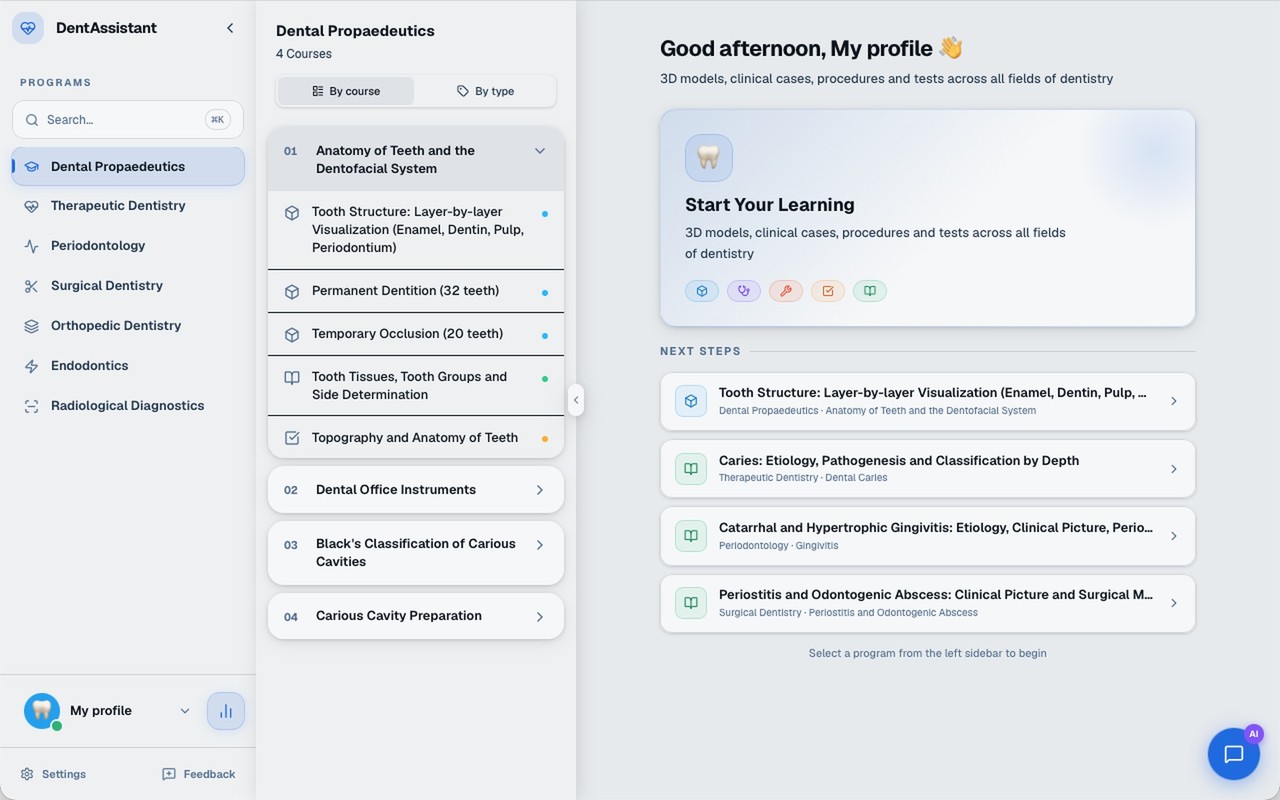
The whole course in one window on a touch-screen stand.
- 1
Learning programs
7 areas of dentistry
- 2
Courses and modules
by course or by module type
- 3
Workspace
home page or an open module
- 4
Search
courses, modules, theory sections, images
- 5
Profile and statistics
7 directions of a complete course
All the major clinical disciplines of dental education.
Fundamentals of Dentistry
Therapeutic Dentistry
Periodontal Diseases
Surgical Dentistry
Prosthetic Dentistry
Root Canal Treatment
Dental Radiology
courses · 99 learning modules
learning modules of five types
The icon next to a module shows its type. Below — what you can do in each.
3D structure
Rotate, zoom in and take the model apart
Theory
An article with illustrations and a self-check
Test
Questions in different formats, checked automatically
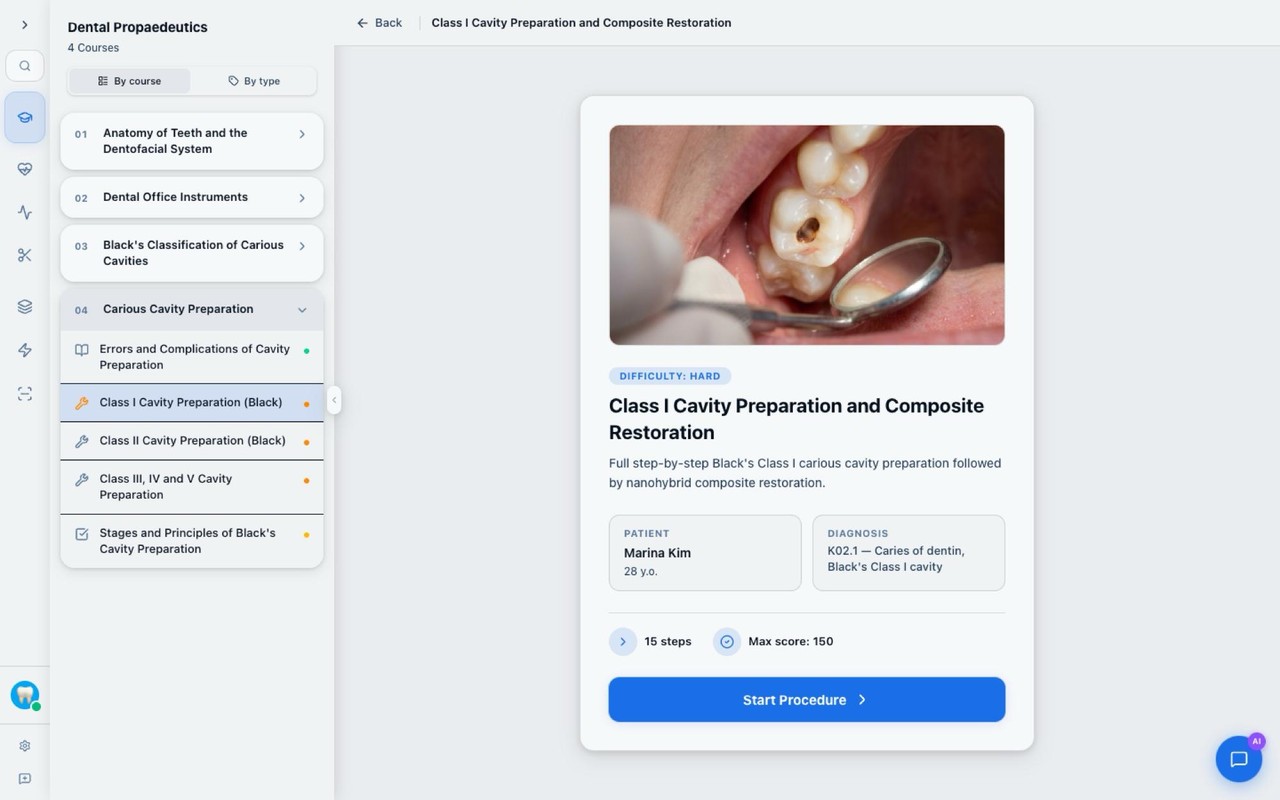
Procedure
Choose an instrument or material at every step
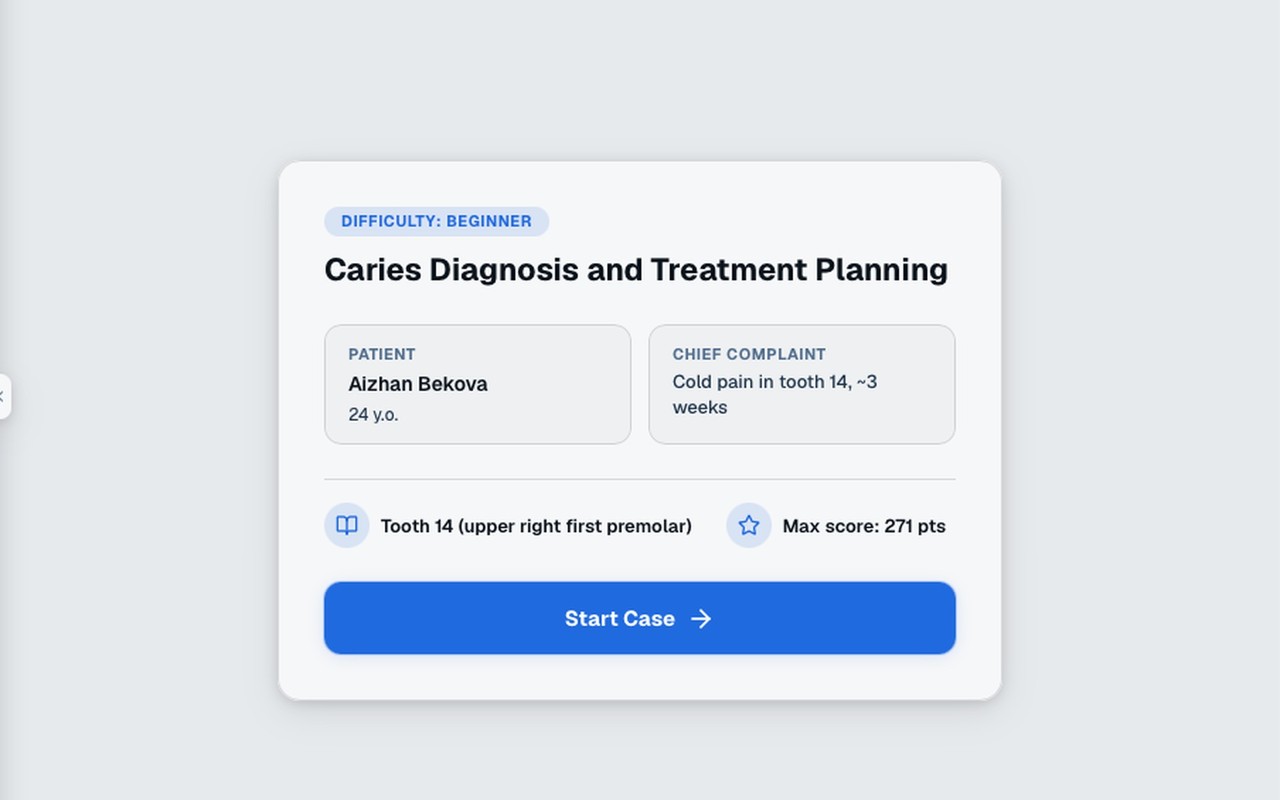
Clinical case
Lead a virtual patient to the choice of treatment
1234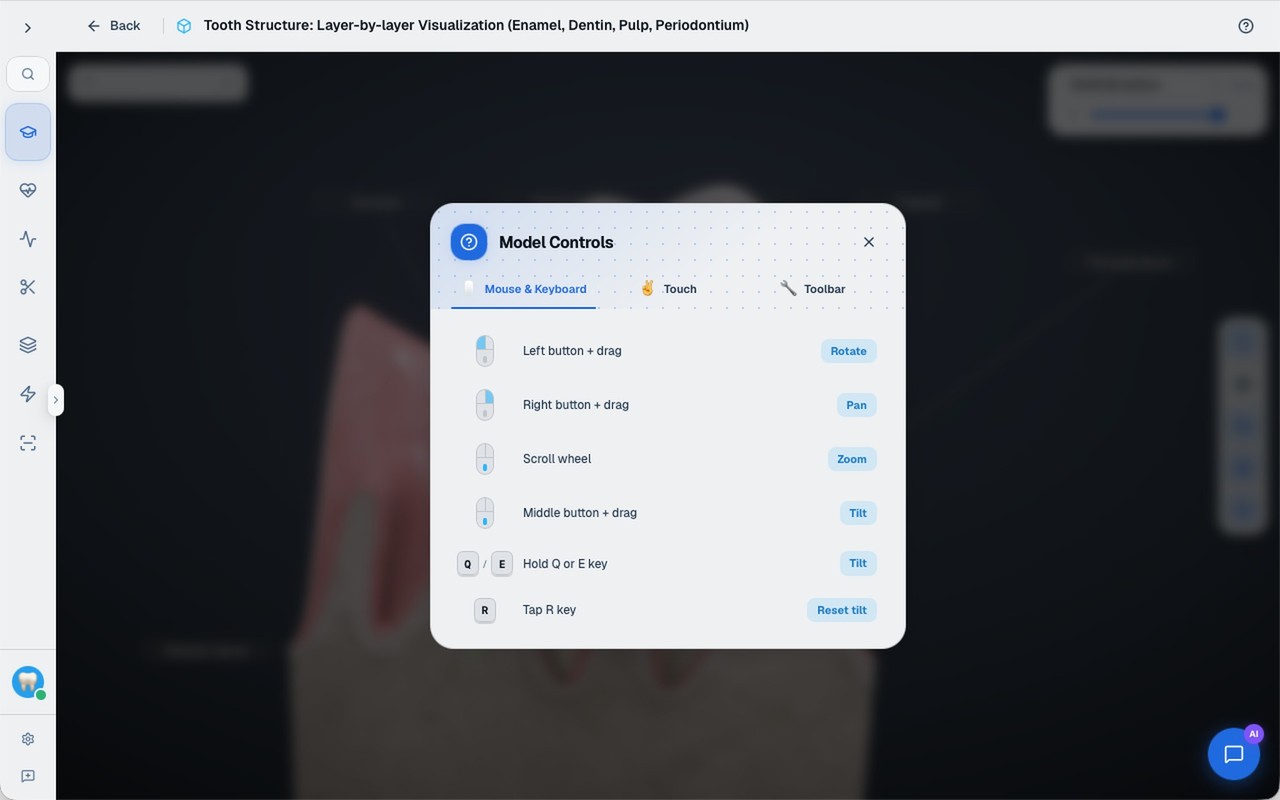
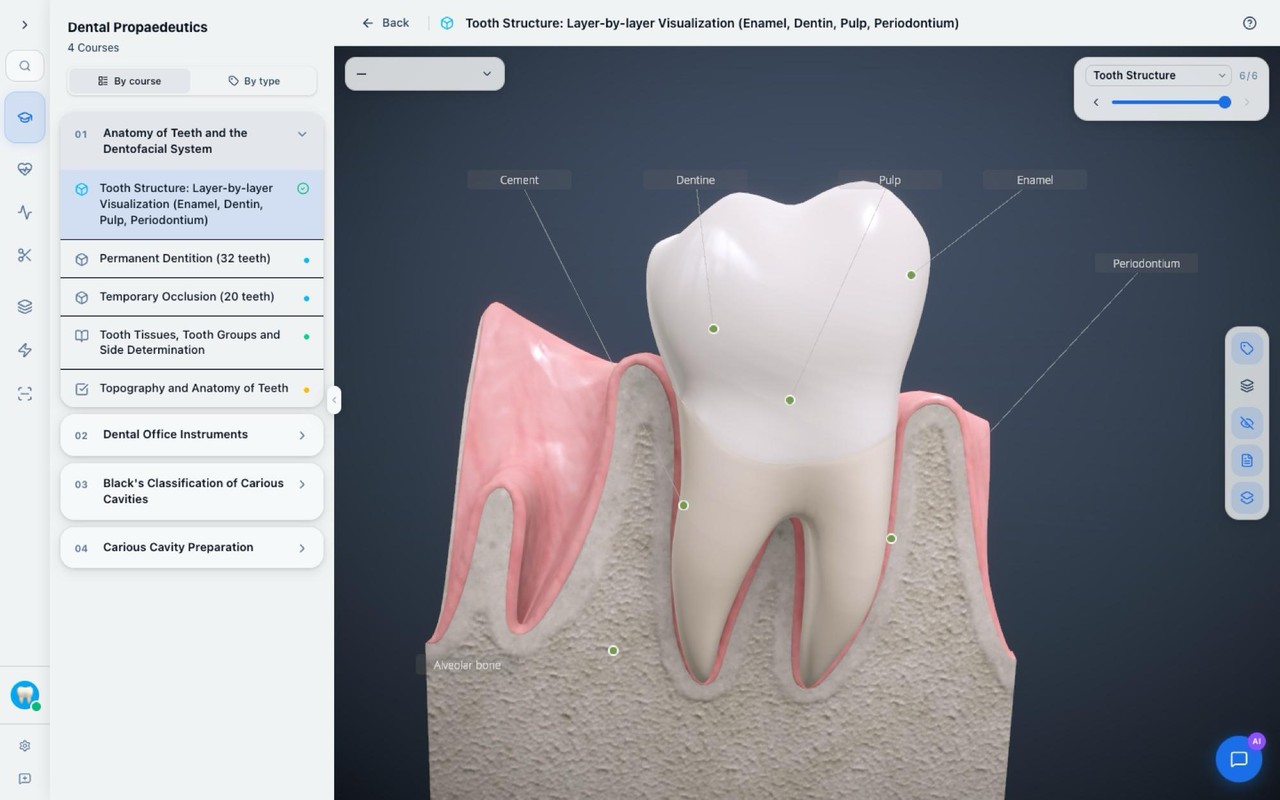
3D structure
A model of a tooth, jaw or anatomical region — from every side.
- 1
Structure labels
part names right on the model
- 2
Layers and states
the “Layers” list and a slider
- 3
Toolbar
the set depends on the model
- 4
Rotate and zoom
with a mouse or fingers on the touch screen
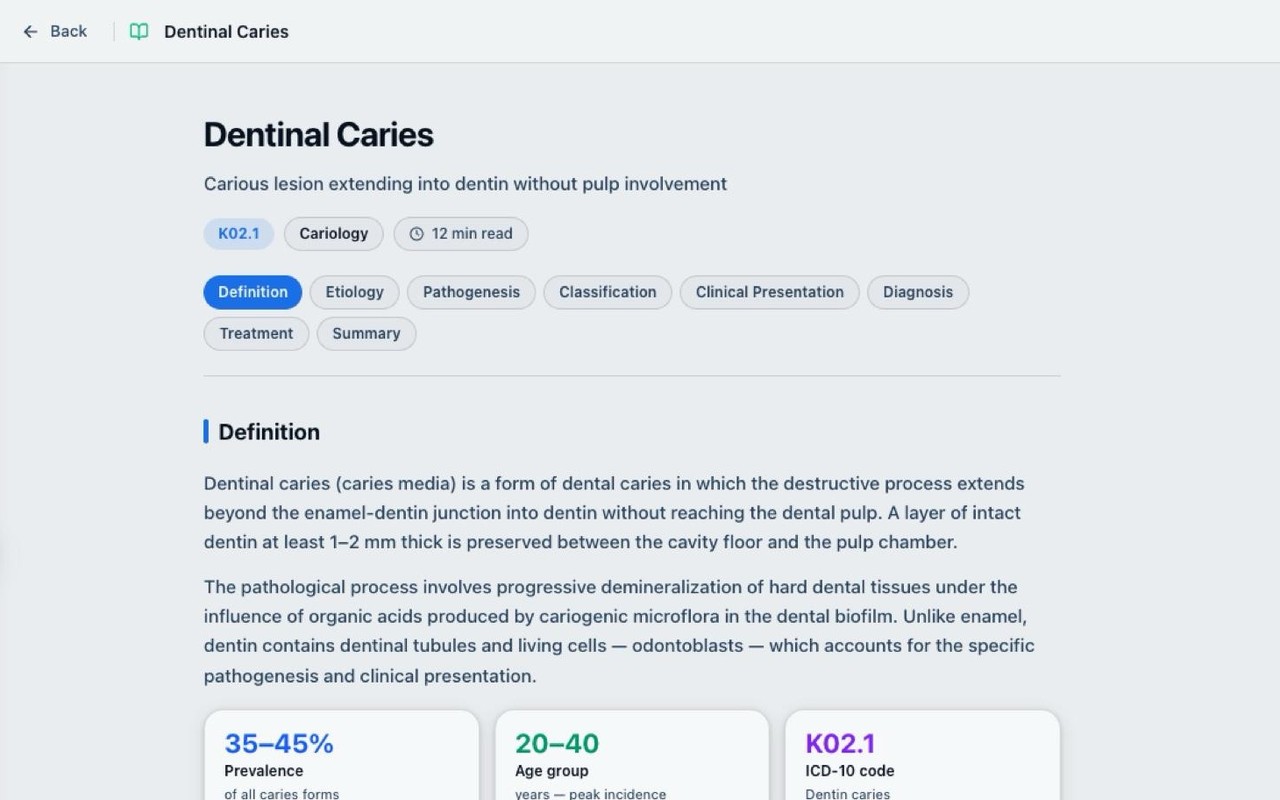
123Theory
A structured article on the course topic.
- 1
Reading time
shown at the start of the article
- 2
Contents
tap a section to jump to it
- 3
Article with illustrations and tables
an illustration opens full screen
At the end — self-check questions, then straight to the course's control questions.
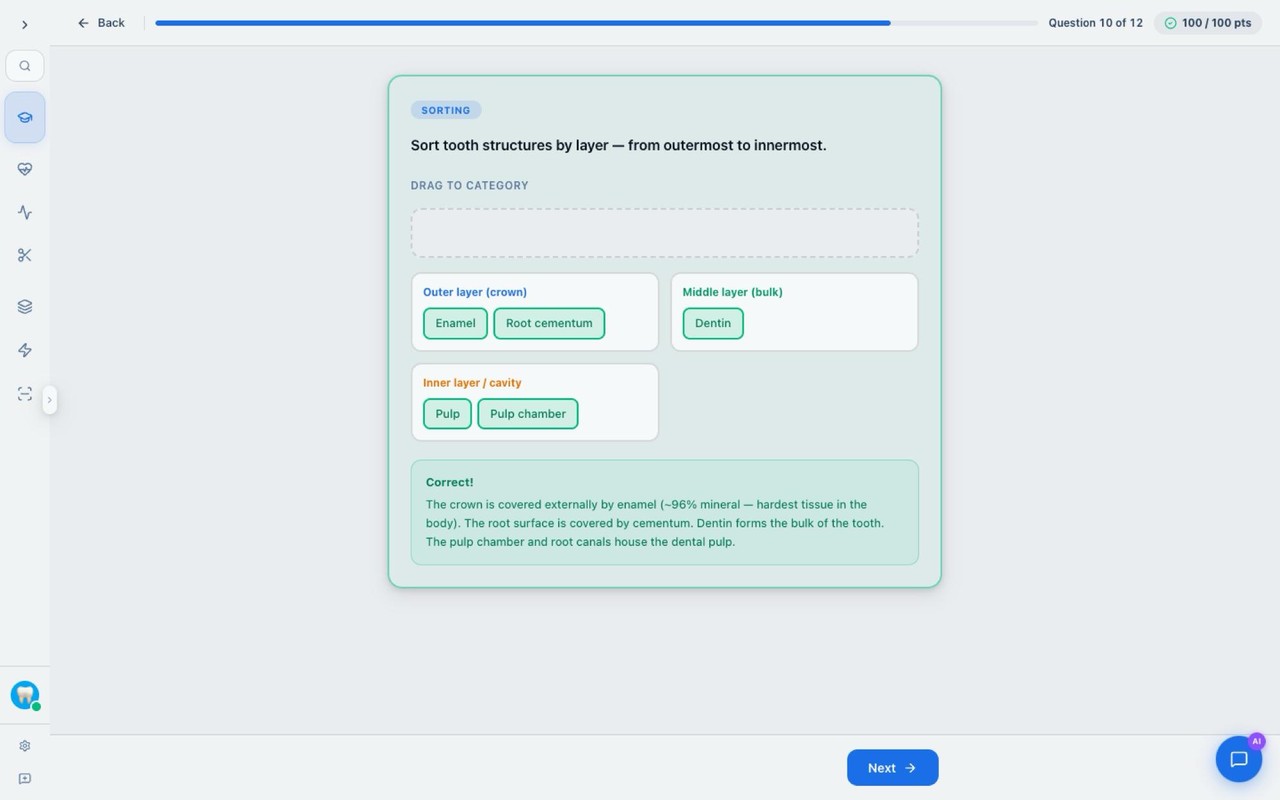 123
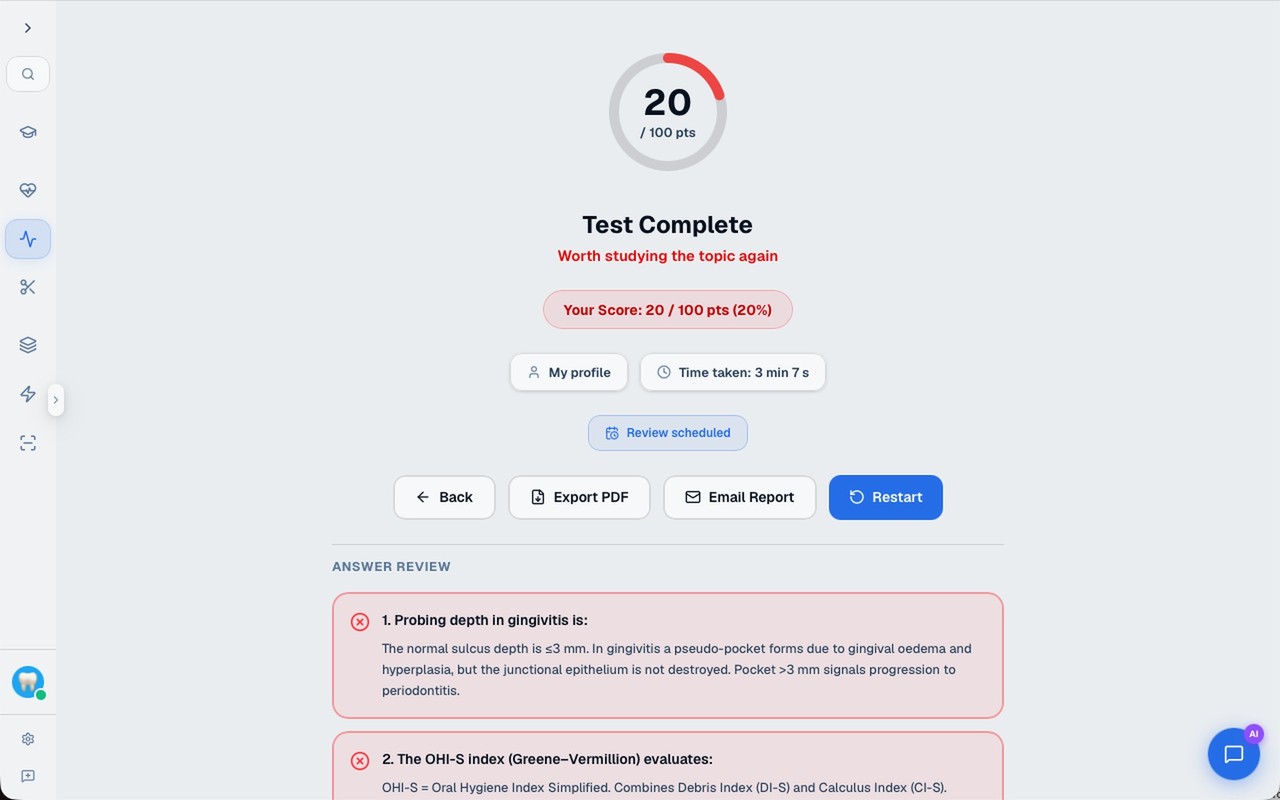
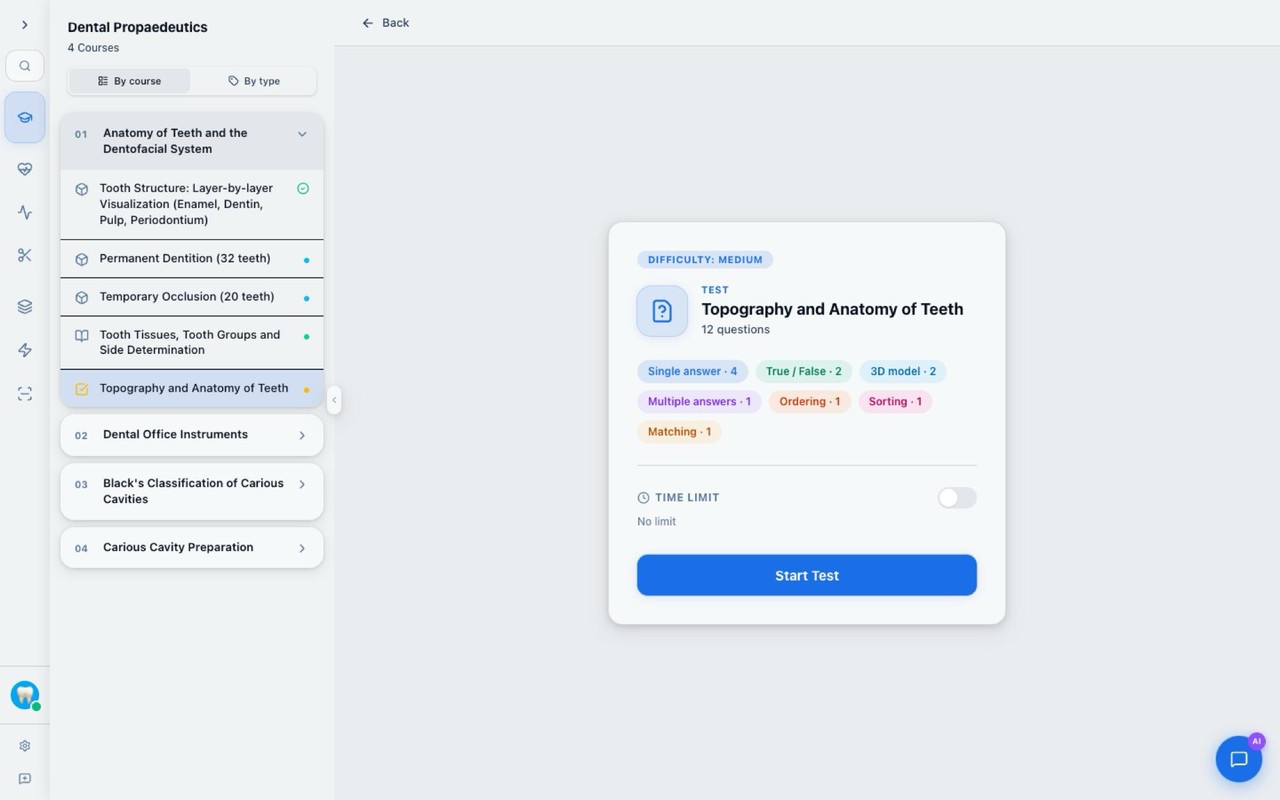
Test
292 questions in 29 tests, checked automatically.
- 1
Question
single answer, multiple, true/false…
- 2
Instant explanation
after the “Check” button
- 3
Progress and points
Seven formats
Result: score, grade, time · “Download PDF” · “Send by email”
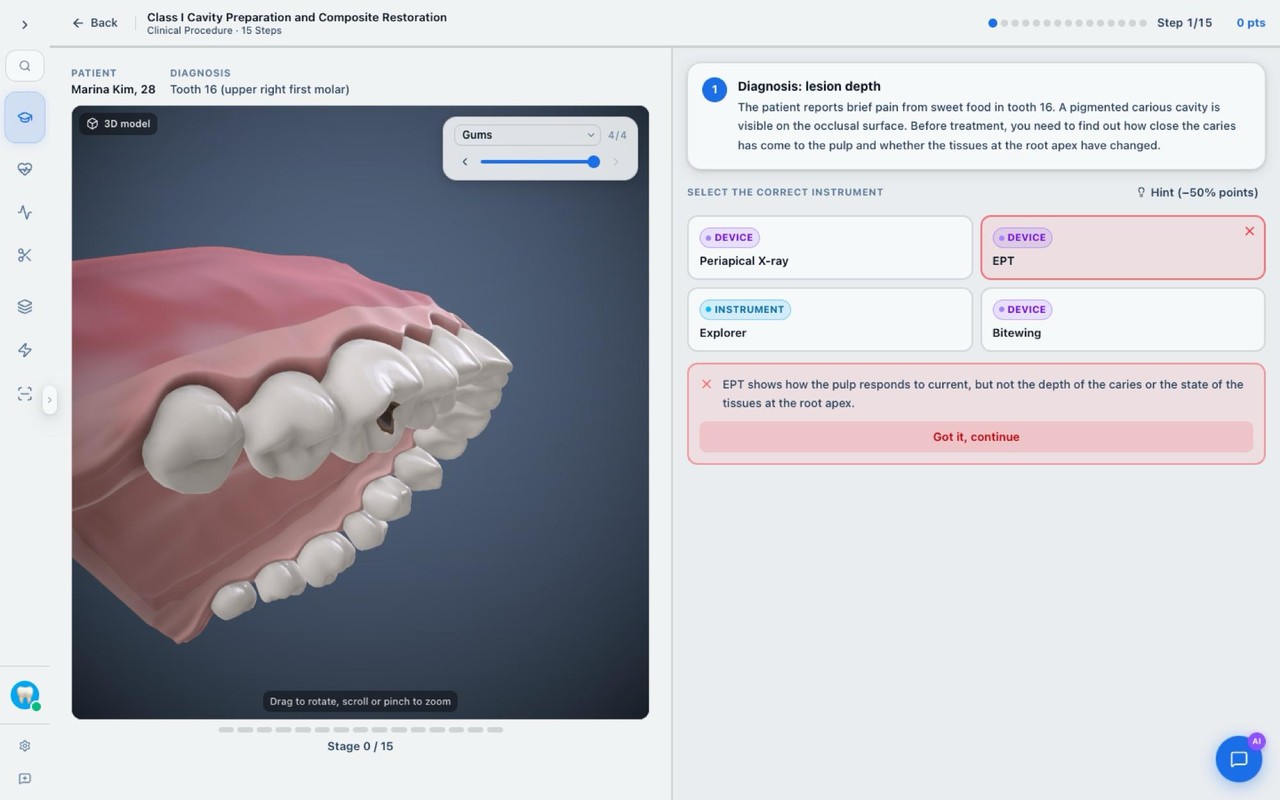 1234
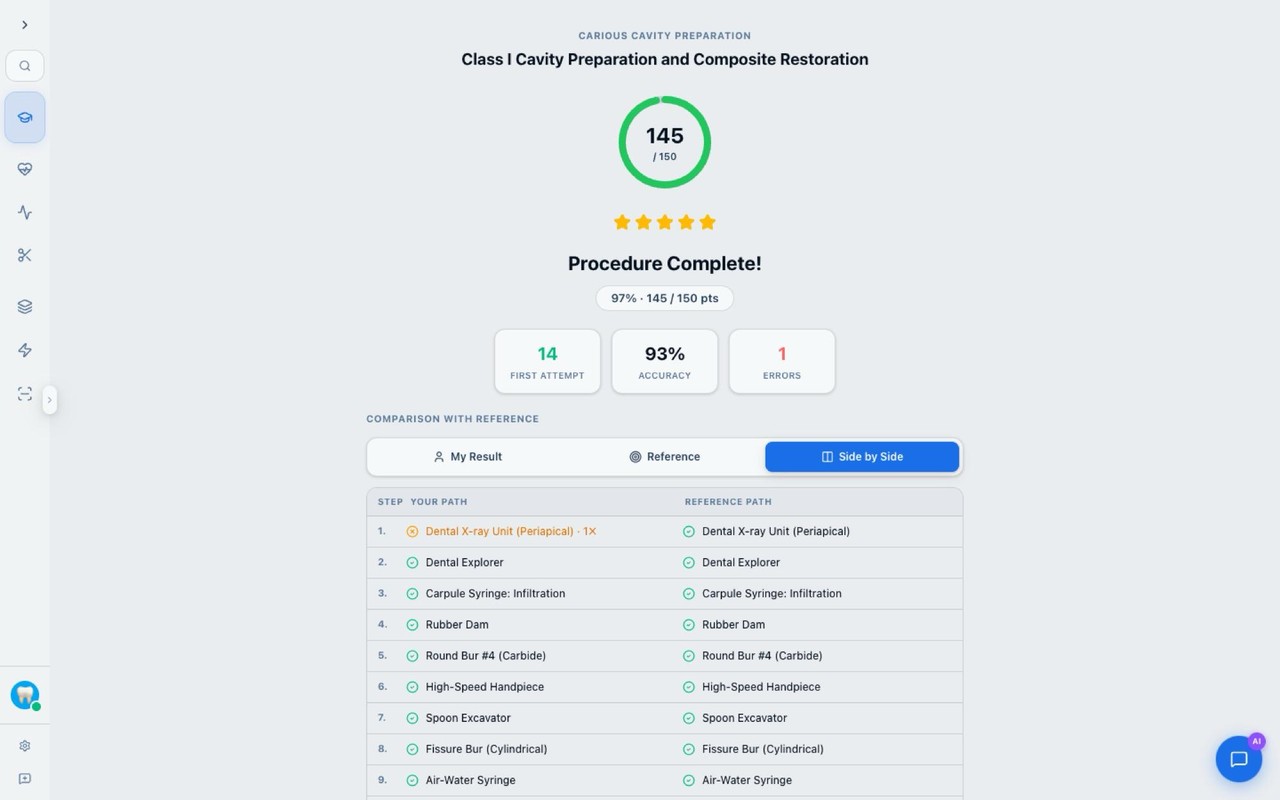
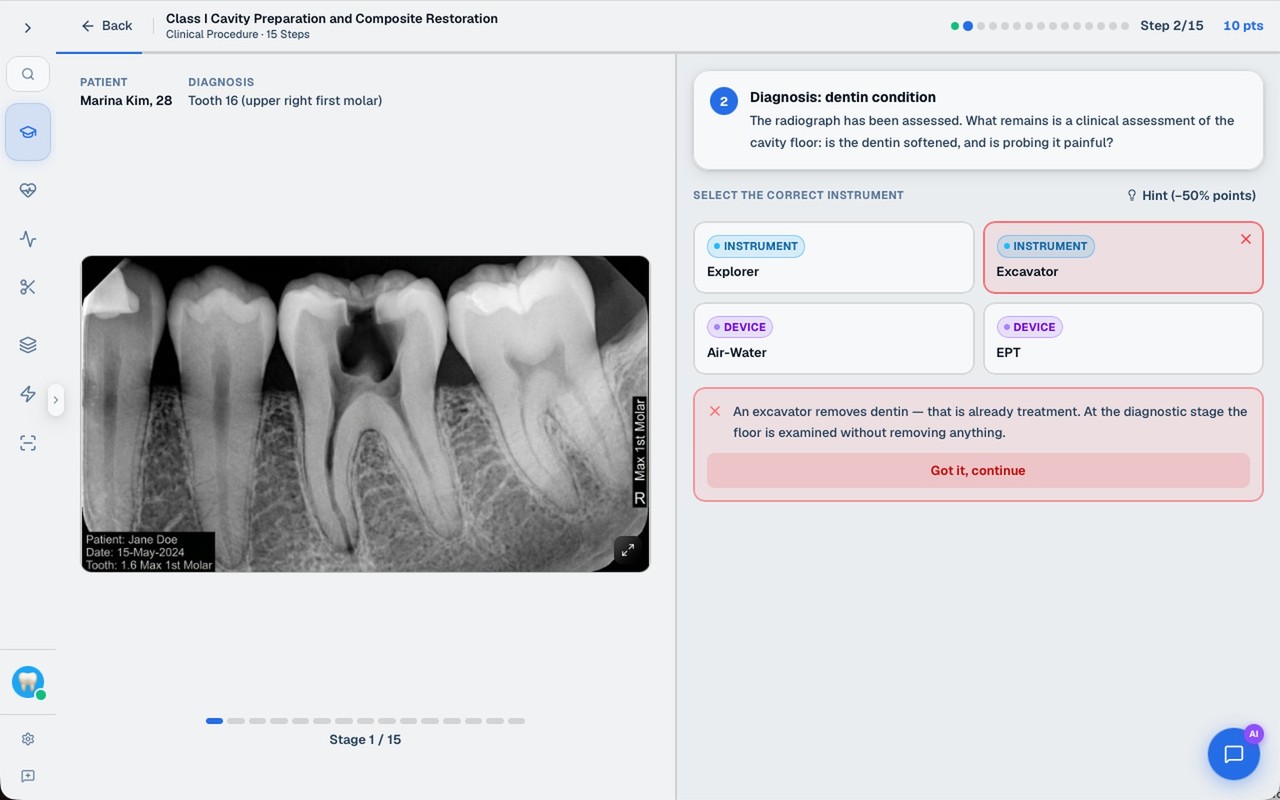
Procedure
A clinical manipulation, step by step, on a virtual patient.
- 1
Patient 3D model
rotate with a mouse or fingers
- 2
Situation description
steps in strict order
- 3
Instrument choice
instrument, material or action
- 4
Hint: −50% of points
“Critical error!” — the step is repeated with no points. At the end: points, accuracy, errors.
 1234
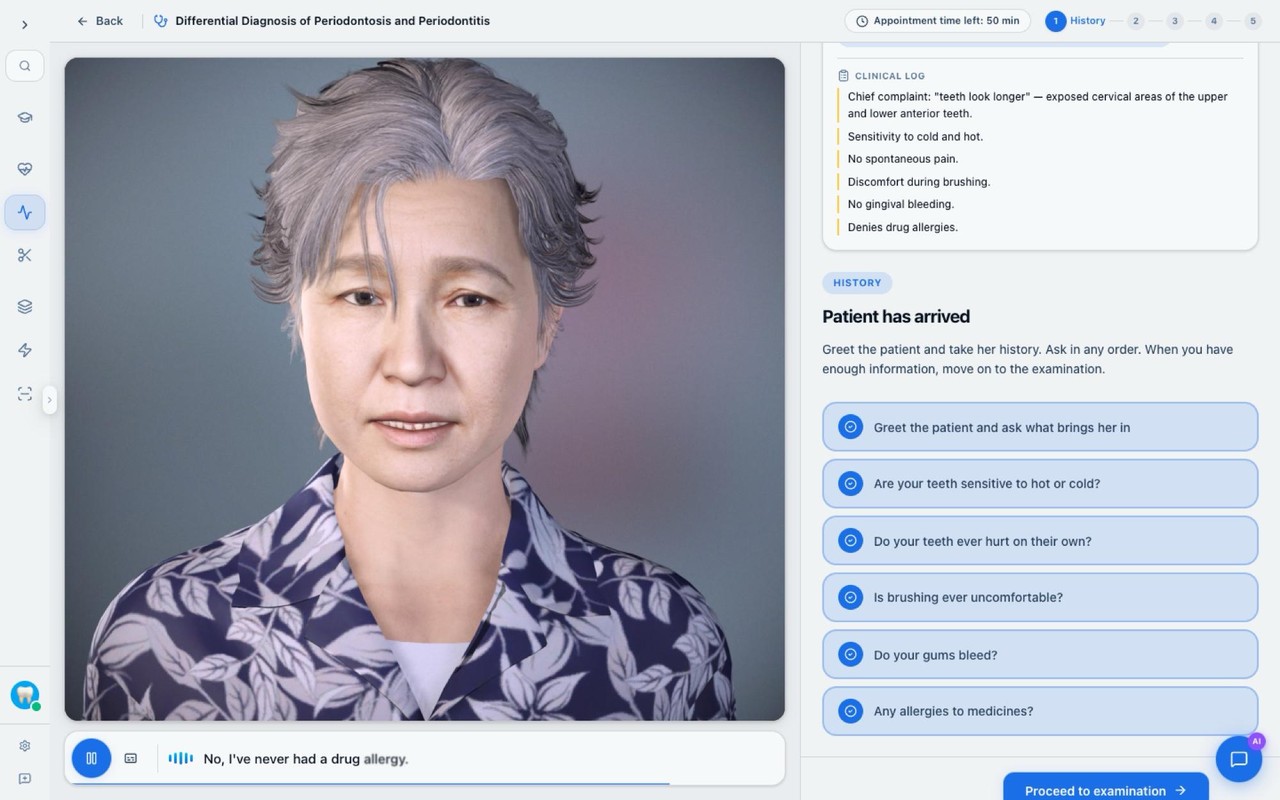
Clinical case
A patient from the first complaint to the choice of treatment.
- 1
Patient card
complaints and the tooth
- 2
Examination log
collected data is recorded automatically
- 3
Stages
history · examination · diagnosis · treatment · result
- 4
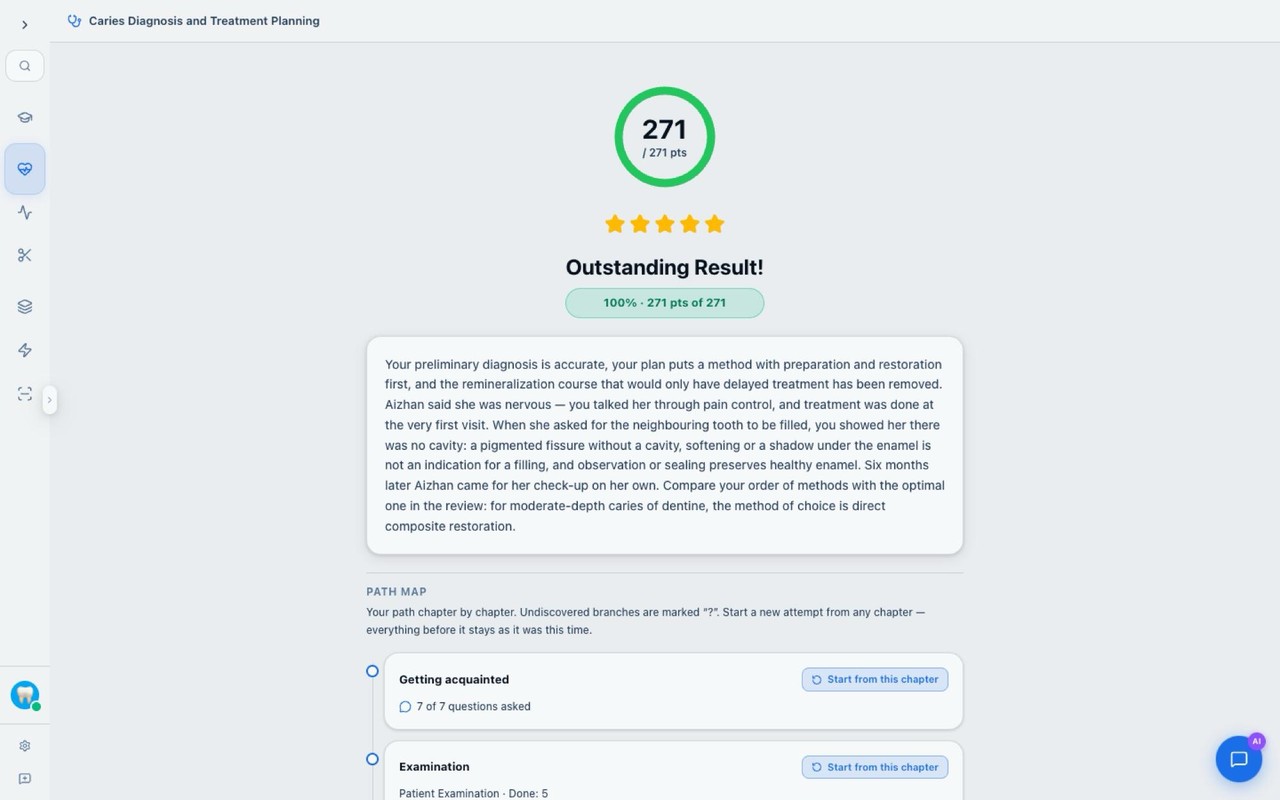
Task
examination, decision, ranking
Decisions are irreversible. The review comes in the summary: score, outcome, optimal path. A case has several endings.
 123
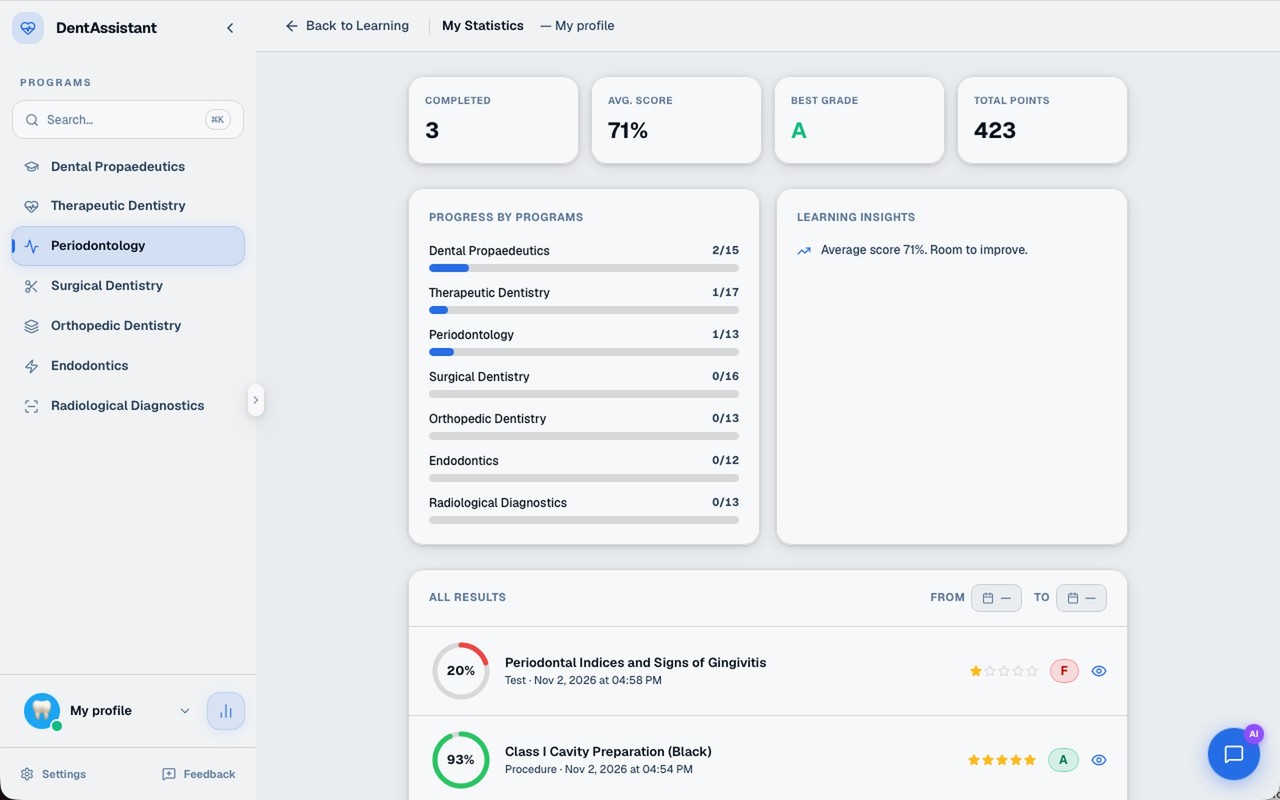
The app itself leads you to the next step
- 1
Summary
completed, average score, best grade, points
- 2
Progress by program
for each of the seven
- 3
All results with dates
filter by period
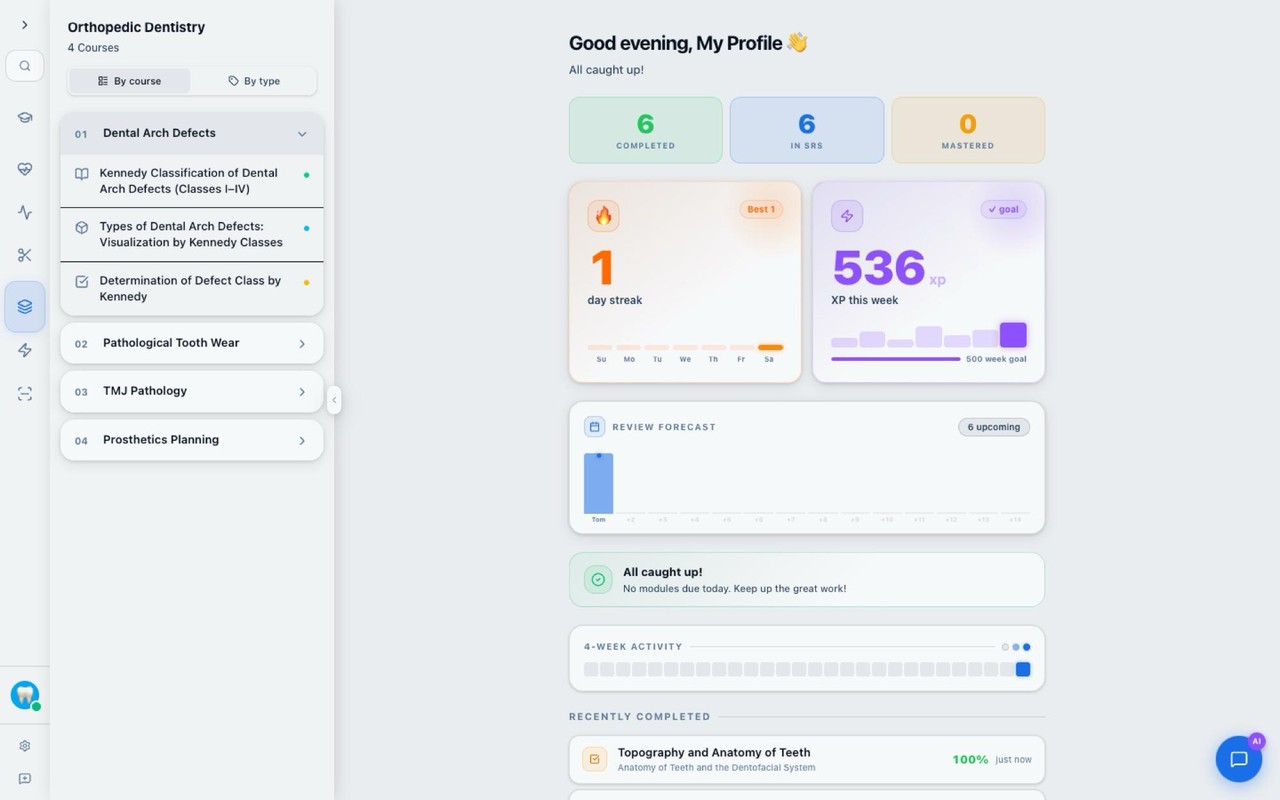
Home: day streak, points for the week, the “To review” block — spaced repetition.
One stand — many learners
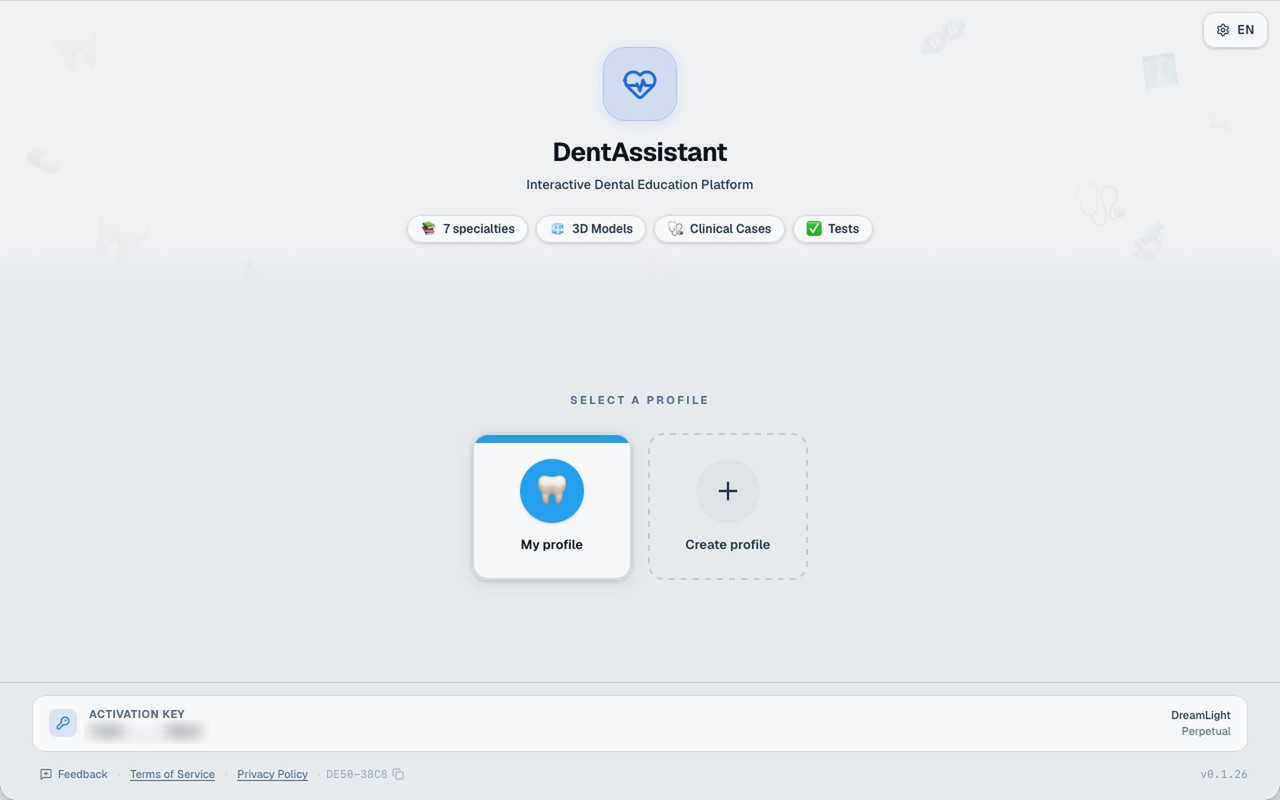 12
- 1
A profile for everyone
results never mix
- 2
Create a profile
name, color and avatar
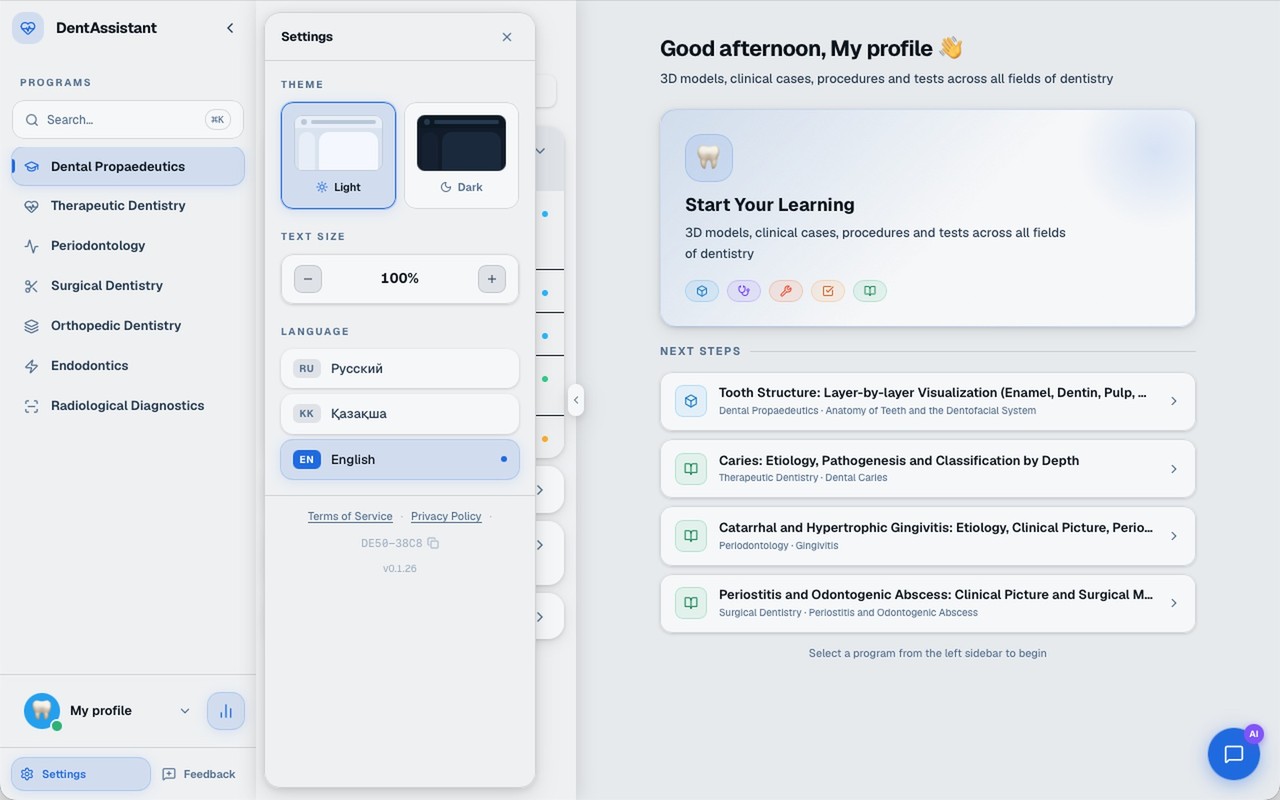 123
- 1
Theme
light or dark
- 2
Text size
from 80% to 130%
- 3
Language
қазақша · русский · English — interface and content
Two clients — one solution
Universities and departments
“A license per device — transparent and scalable to the size of any department.”
A digital textbook in the curriculum · independent work on the touch-screen stand · groups in KK, RU and EN
Dental students
“Theory, tests and cases on one learning stand, at my own pace.”
Interactive cases instead of textbooks · 3D tooth anatomy · instant error explanation
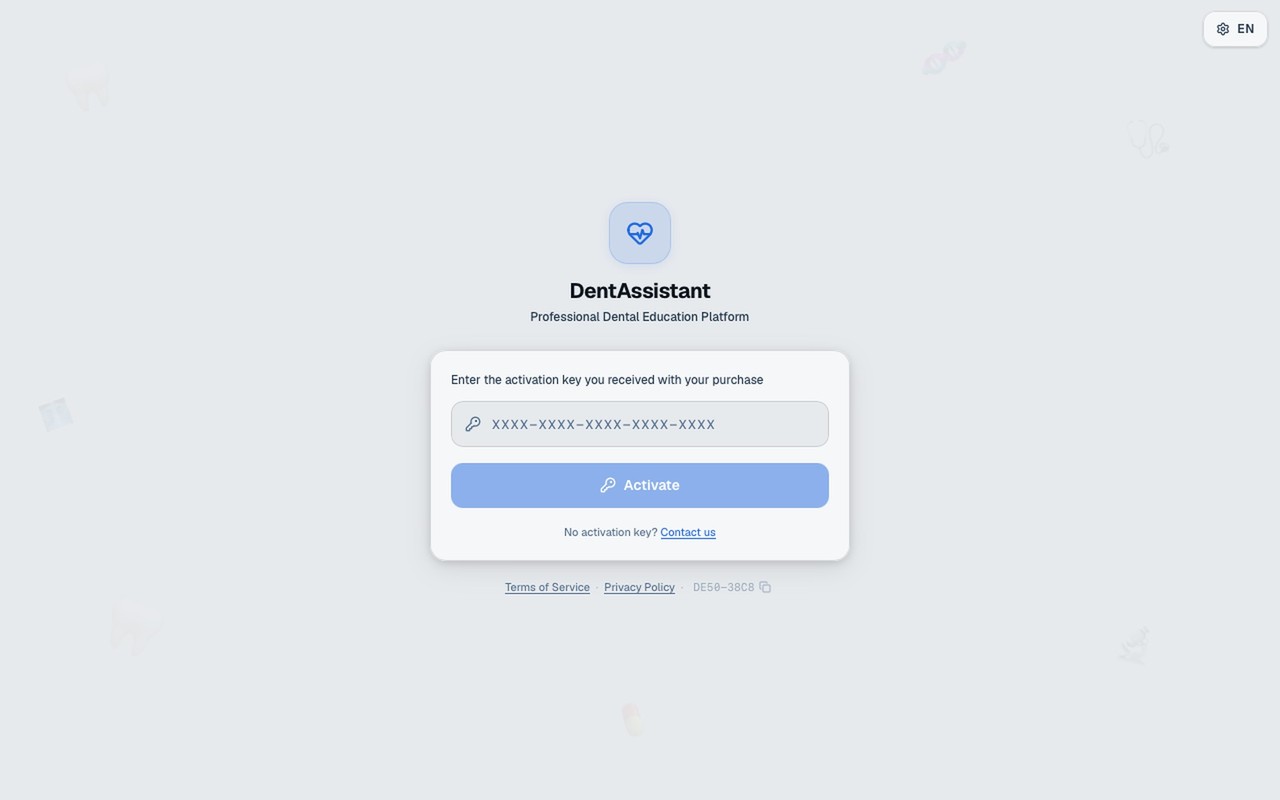
A ready solution for the learning center
Interactive touch-screen stand
The application is pre-installed; touch screen, mouse, keyboard
Activation key
1 license = 1 device
Offline after activation
Internet is needed for activation, updates, feedback and sending results
Updates
The application checks for them when connected
Feedback from the app
Problem description and a screenshot
A complete course — on one learning stand
29 courses · 292 test questions · 19 clinical cases · 17 3D modules · 5 procedures.
full-course clinical programs
types of learning modules
languages — RU, KK, EN
learning modules
Launch DentAssistant at your university
The platform is ready: 7 programs, 29 courses and 99 learning modules in RU · KK · EN.
For universities
A license per device, integration into the curriculum
For partners
Joint development of learning content
For learners
Your own profile, statistics and spaced repetition